How to Find and Label Polymarket Whales Using Polygonscan
If a wallet hits three six-figure wins in a row on geopolitical markets, it is not luck. It is either a model with genuine edge or an insider acting on information the market has not priced yet. Specifically, the wallets behind the Iran ceasefire $663K insider trade, the Theo4 $22M geopolitics run, and the sovereign2013 $3.4M sports bot are all publicly visible on the Polygon blockchain. Furthermore, you do not need a paid dashboard or a third-party analytics tool to find them. You need Polygonscan, a free Polygon account, and the method in this guide. Here is the exact process for locating the Polymarket CTF contract, filtering large transactions, tracing wallet funding sources, and permanently labelling whale wallets for ongoing tracking.
What You Need Before You Start
Before running any search on Polygonscan, three things need to be in place.
First, a free Polygonscan account at polygonscan.com. The account is required for the Private Notes feature that makes wallet labelling persistent across sessions. Registration takes under two minutes and requires only an email address.
Second, a basic understanding of how Polymarket settles trades on-chain. Specifically, Polymarket uses the Conditional Token Framework (CTF) on the Polygon network. Every trade, position, and payout flows through CTF smart contracts rather than through a Polymarket-controlled custodial wallet. Consequently, all transaction data is public and permanently recorded on-chain regardless of whether Polymarket’s own interface shows it.
Third, the correct contract addresses. Using the wrong contract address is the single most common error when starting Polymarket on-chain research. The addresses are confirmed in the section below.
Step 1: Identifying the Polymarket CTF Contract on Polygon
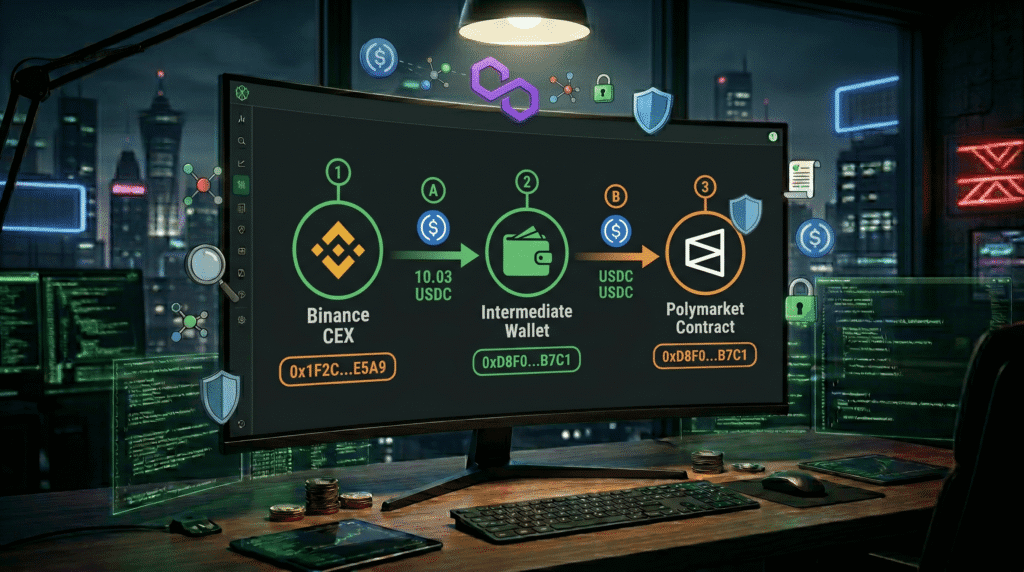
The Primary Contracts
Polymarket operates through two primary contracts on the Polygon network. The first is the CTF Exchange contract, which handles all conditional token trades. The second is the USDC transfer layer, which processes deposits and withdrawals in and out of active positions.
The confirmed Polymarket CTF Exchange contract address on Polygon is:
0x4bFb41d5B3570DeFd03C39a9A4D8dE6Bd8B8982EThe confirmed Polymarket USDC collateral contract used for position settlement is:
0x4D97DCd97eC945f40cF65F87097ACe5EA0476045Additionally, verify both addresses by navigating to polygonscan.com/address/0x4bFb41d5B3570DeFd03C39a9A4D8dE6Bd8B8982E and confirming the contract is tagged with the Polymarket label in Polygonscan’s verified contract directory. Specifically, any contract address without the Polymarket tag should be cross-referenced against the official Polymarket documentation at docs.polymarket.com before use.
What the CTF Contract Page Shows
When you open the CTF Exchange contract on Polygonscan, you will see four tabs at the top of the transaction table. The Transactions tab shows all contract interactions. The Token Transfers tab shows all ERC-20 token movements in and out of the contract. The Internal Transactions tab shows nested calls within the contract execution. The Events tab shows raw log data for each contract interaction.
For whale tracking purposes, the Token Transfers tab is the most useful starting point. Specifically, this tab shows every USDC movement connected to Polymarket positions in chronological order, including wallet addresses on both sides of each transfer.
Step 2: Filtering by Value to Find Whale Transactions
Why Raw Transaction Data Is Not Useful Without Filtering
The Polymarket CTF contract processes thousands of transactions per day. Therefore, loading the raw transaction list without filtering produces an unworkable volume of data dominated by small retail positions. Specifically, the majority of Polymarket participants deploy between $10 and $500 per position. Filtering below $10,000 adds noise rather than signal for whale identification.
Using Polygonscan Advanced Filter
Navigate to the Token Transfers tab on the CTF Exchange contract page. Specifically, look for the filter icon in the top right corner of the transaction table. Click it to open the Advanced Filter panel.
Set the following parameters for a $10,000 minimum filter:
Token: USDC (select from the dropdown rather than typing to avoid selecting wrong token versions). Minimum Amount: 10000. Maximum Amount: leave blank to capture all large transfers. Direction: Both (to capture both incoming and outgoing whale movements). Date Range: set to the last 7 days for recent whale activity or leave open for full history.
For a tighter $50,000 minimum filter that isolates only the largest positions, change the Minimum Amount field to 50000. This significantly reduces the result set and focuses exclusively on wallets deploying institutional-scale capital per individual trade.
Reading the Filtered Results
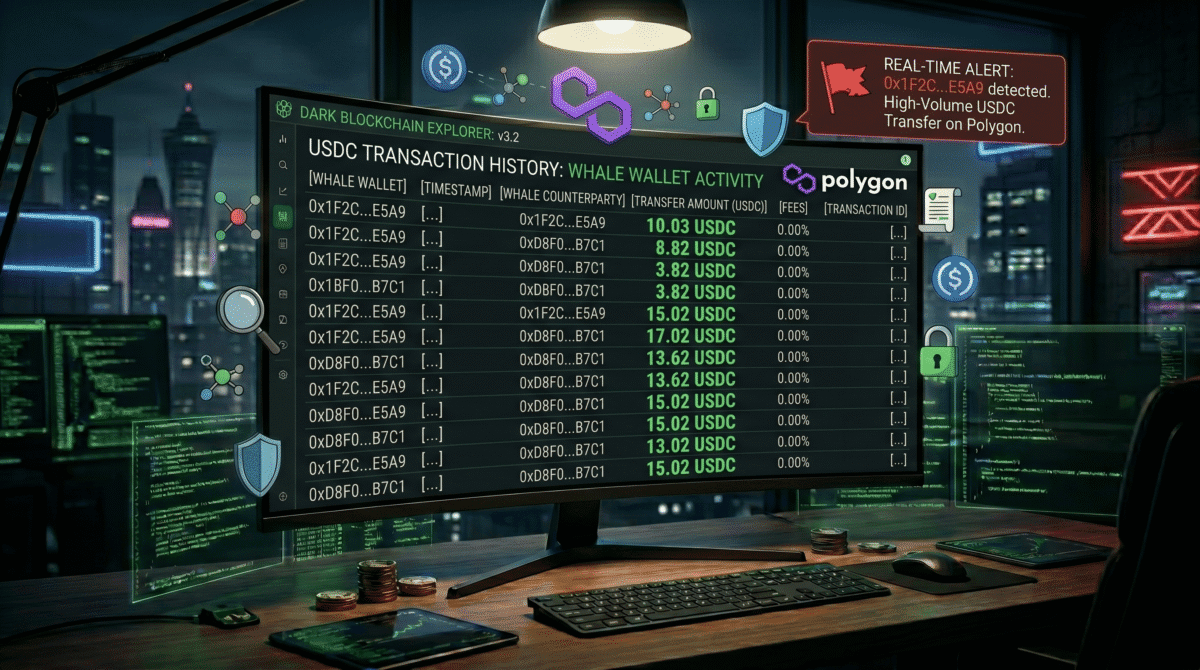
Each row in the filtered results shows four key pieces of information. The From address is the wallet initiating the transfer. The To address is the receiving wallet or contract. The Value column shows the exact USDC amount in the transfer. The Transaction Hash links to the full transaction detail page.
Additionally, transfers from the CTF contract to a wallet address represent position payouts. Specifically, when a Polymarket market resolves, the CTF contract sends USDC directly to the winning wallet. Therefore, large outgoing transfers from the CTF contract to the same wallet address appearing repeatedly are the clearest signal of a consistently profitable whale.
Note any wallet address that appears in multiple high-value outgoing transfers from the CTF contract. Specifically, three or more six-figure outgoing transfers from the same wallet address within a 30-day window represents the pattern that identifies the most active documented whales in CoinTrenches research.
Step 3: The Breadcrumb Method
What the Breadcrumb Method Reveals
The breadcrumb method traces where a whale wallet received its original funding before it started trading on Polymarket. Specifically, the funding source tells you something important about the wallet’s likely identity and operational structure.
Three funding source patterns appear repeatedly in Polymarket whale research. The first is direct CEX withdrawal, where the wallet received its initial USDC from a Binance, Coinbase, or Kraken hot wallet. The second is DeFi wallet bridging, where the wallet received funds from an Ethereum or Solana wallet via a cross-chain bridge. The third is fresh wallet creation with immediate large deployment, where the wallet was funded and immediately deployed capital into a single market with no prior on-chain history.
The Iran ceasefire insider wallets documented in CoinTrenches research showed the third pattern. Specifically, four wallets were funded and immediately deployed $17,000 to $18,000 into a single market minutes before the ceasefire announcement. As a result, the breadcrumb method confirmed the insider pattern before the market even resolved.
How to Run the Breadcrumb Trace
Open the whale wallet address page on Polygonscan. Navigate to the Transactions tab and sort by oldest first. Specifically, the oldest transaction in the history shows where the wallet first received funds.
Click the earliest incoming transaction hash. This opens the full transaction detail page. The From address on this page is the funding source. Note whether this address is:
A known CEX hot wallet. Specifically, Polygonscan labels confirmed exchange addresses with the exchange name. Binance hot wallets are labelled Binance: Hot Wallet. Coinbase addresses are labelled Coinbase. Therefore, a CEX label on the funding source confirms the whale is a human or institutional operator rather than a bot funded from another on-chain wallet.
An unlabelled DeFi wallet. Specifically, an unlabelled funding source with its own long transaction history suggests the whale is using a layered wallet structure. Consequently, click through to the funding source wallet and repeat the process to trace the breadcrumb back one more step.
A contract address. Specifically, if the funding source is a bridge contract or DEX router, the whale moved funds from another chain before starting Polymarket trading. This pattern is common for sophisticated operators who keep their primary capital on Ethereum or Solana and bridge specifically for Polymarket positions.
A fresh wallet with no prior history. Specifically, if the funding source was itself a brand-new wallet that received funds from another wallet immediately before forwarding them, the operator is using a multi-layer privacy structure. This pattern is the strongest signal of a coordinated or insider operation.
The Three-Transfer Rule
Apply the following rule when evaluating whether a wallet is worth labelling as a confirmed whale. If the wallet shows three or more outgoing transfers to the Polymarket CTF contract above $50,000 each, with the same funding source origin, across different market categories (not just one sports team or one geopolitical event), label it as a systematic edge operator. Furthermore, if those transfers produced confirmed profits across all three markets, the label becomes high-confidence rather than provisional.
Specifically, systematic edge operators diversify across market types because their edge is analytical rather than information-based. By contrast, insider wallets typically concentrate exposure in one specific market category tied to their information advantage. Therefore, the market concentration pattern alongside the breadcrumb funding source together provide the most reliable classification signal.
Step 4: Labelling Whales with Polygonscan Private Notes
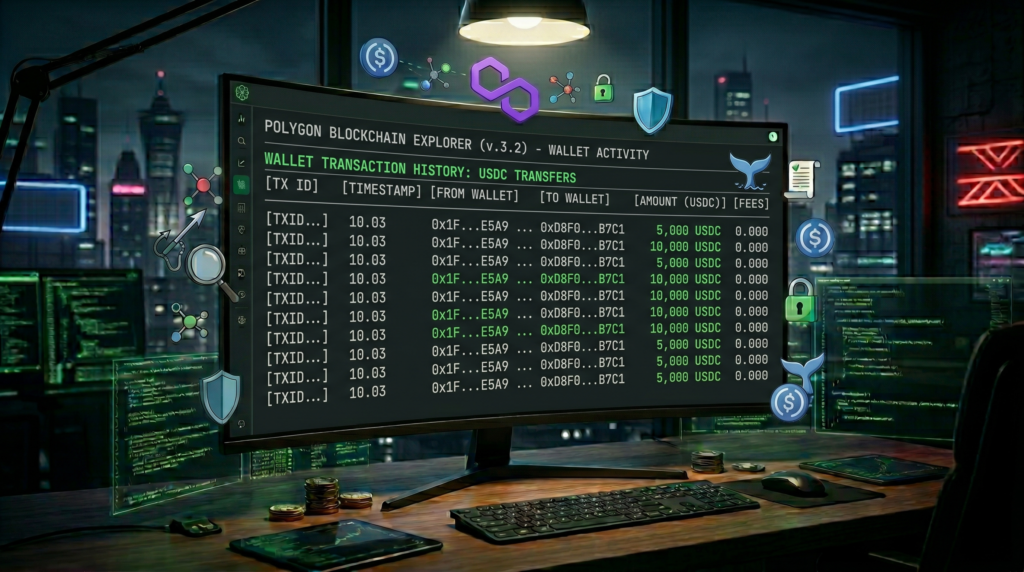
Why Private Notes Are the Most Underused Feature in On-Chain Research
Polygonscan’s Private Notes feature allows registered users to attach a custom label to any wallet or contract address that persists across all future sessions. Specifically, the label is visible only to your account and does not appear publicly. Furthermore, the label appears in orange text next to the address every time you encounter it on Polygonscan — including inside transaction tables, contract interaction pages, and address search results.
This means that once you label a wallet as “Iran Insider Cluster April 2026” or “RN1 Sports Bot Confirmed,” every subsequent time that address appears in any Polygonscan search or filter result, your label appears immediately. As a result, you do not need to maintain a separate spreadsheet or rely on memory to track dozens of whale wallets over time.
How to Add a Private Note
Navigate to the wallet address page you want to label. Scroll down below the transaction table to the Private Note section. Specifically, this section only appears when you are logged into your Polygonscan account. If it does not appear, check that your account session is active.
Click “Click to add” next to the Private Note label. A text input field appears. Enter your label using a consistent naming convention.
The following naming convention works well for Polymarket whale tracking specifically:
[Category] [Username or Identifier] [Key Detail] [Date First Identified]

Examples:
SPORTS BOT | RN1 | $4.1M all-time | Oct 2025
INSIDER CLUSTER | Iran Ceasefire | $200K profit 1 bet | Apr 2026
SOCCER WHALE | imnotawizard | $3.5M built 1 month | Mar 2026
CRYPTO BOT | BoneReader | #2 monthly leaderboard | Jan 2026
UNKNOWN | High-value | 3x $50K+ geopolitics | [date]
Click Save after entering the label. Additionally, Polygonscan allows you to add a URL in the private note field. Consequently, paste the CoinTrenches article URL for any wallet you have already researched so the full profile is one click away directly from the Polygonscan wallet page.
Organising Your Label System
Consistent category prefixes make the private note system useful at scale. Specifically, when you are reviewing a filtered transaction list containing twenty different addresses, uniform prefixes let you immediately classify each wallet type without clicking through to the full address page.
Use the following prefix categories for Polymarket research:
SPORTS BOT for high-frequency NBA, soccer, or multi-sport wallets. CRYPTO BOT for BTC 5-minute and 15-minute micro grinding wallets. INSIDER for fresh wallet, single-market, high-profit patterns. SOCCER WHALE for low-prediction-count high-conviction soccer specialists. GEOPOLITICS for wallets concentrated in political and geopolitical markets. UNKNOWN for wallets that have appeared in large transfers but not yet classified.
Additionally, add a confidence level to each label. Specifically, use CONFIRMED for wallets with a fully documented profile, PROBABLE for wallets showing two out of three identifying patterns, and WATCHING for wallets that appeared in a single large transfer without a full pattern established yet.
Step 5: Building a Tracking Routine
The Weekly Filter Run
Set aside 20 minutes per week to run the following sequence on Polygonscan. Open the CTF Exchange contract token transfers tab. Apply the $50,000 minimum filter for the past seven days. Scan the results for new wallet addresses that do not yet carry your private note labels. Specifically, any unlabelled address appearing in three or more large transfers within the week is a candidate for a new breadcrumb trace.
Furthermore, cross-reference new addresses against the Polymarket leaderboard data available through polymarketanalytics.com. Specifically, if the same wallet address appears both in your Polygonscan filter results and in the top weekly profit leaderboard, the identification is confirmed without a full breadcrumb trace.
Watching Known Wallets for New Activity
Once you have labelled a set of whale wallets, Polygonscan allows you to watch them directly. Specifically, navigate to any labelled wallet address and click the bell icon at the top of the address page to enable email notifications for new transactions above a custom threshold.
Set the notification threshold to $20,000 for active sports bots and $50,000 for geopolitics and insider-pattern wallets. Additionally, enable the notification only for incoming transfers from the CTF contract, which represent resolved winning positions rather than new entry bets. As a result, you receive an alert when a tracked whale collects a confirmed payout rather than when they open a new position.
This is the closest available real-time alternative to a paid whale alert service for Polymarket, using only free Polygonscan features.
Common Mistakes to Avoid
Using the wrong contract address is the most costly error. Specifically, Polygon hosts multiple USDC contract versions and several unofficial Polymarket-adjacent contracts that do not route through the official CTF Exchange. Always verify the contract address against the official Polymarket documentation before filtering.
Confusing incoming and outgoing transfers causes misclassification. Specifically, a large incoming transfer to the CTF contract represents a new bet being placed. A large outgoing transfer from the CTF contract to a wallet represents a payout being collected. Therefore, filtering for incoming transfers identifies wallets entering new positions, while filtering for outgoing identifies wallets collecting confirmed wins.
Ignoring the date context produces misleading conclusions. Specifically, a wallet with three six-figure payouts from the CTF contract over 18 months is very different from a wallet with three six-figure payouts within 72 hours of a single geopolitical event. The time compression of the wins is the insider signal, not the raw payout count.
Labelling too broadly reduces the usefulness of private notes over time. Specifically, labels like “whale” or “big trader” contain no actionable information when you encounter them six months later. Use the naming convention above consistently so every label contains category, identifier, key detail, and date.
Key Takeaways for CoinTrenches Readers
Polygonscan contains the complete unredacted history of every Polymarket position ever opened or closed on the Polygon network. Furthermore, the tools to filter, trace, and label that data are free and require no coding ability. Specifically, the CTF Exchange contract address, the $50,000 minimum filter, the breadcrumb trace to the funding source, and the private notes labelling system together replicate 80% of what paid Polymarket analytics dashboards provide.
Additionally, the breadcrumb method is the most powerful tool in this guide because it answers the question that no leaderboard shows: where did the money come from before it appeared on Polymarket. A wallet funded from a Binance hot wallet one hour before a geopolitical resolution is a different risk profile from a wallet that has been steadily compounding sports bet profits for nine months. The funding source tells you which type you are looking at.
Furthermore, building a labelled wallet database over time compounds in value. Specifically, after three months of consistent weekly filter runs and breadcrumb traces, your private notes library becomes a personalised intelligence layer that identifies returning whale wallets the moment they appear in any new market. At that point, you are not reacting to leaderboard data that is hours or days old. You are tracking whale activity as it happens on-chain.
Frequently Asked Questions
What is the Polymarket CTF contract address on Polygon?
The primary Polymarket CTF Exchange contract address on Polygon is 0x4bFb41d5B3570DeFd03C39a9A4D8dE6Bd8B8982E. This contract handles all conditional token trades on the platform. Verify this address on Polygonscan by confirming the Polymarket label in the verified contract directory and cross-referencing against the official Polymarket documentation at docs.polymarket.com before using it for any filtering or research.
How do I filter Polygonscan to show only large Polymarket transactions?
Navigate to the Token Transfers tab on the Polymarket CTF Exchange contract page on Polygonscan. Click the filter icon in the top right of the transaction table. Select USDC as the token, set the minimum amount to 10000 or 50000 depending on your threshold, and set the direction to Both. Apply the filter and the table will update to show only transfers meeting your criteria. Specifically, set the date range to the last seven days for recent whale activity or leave it open for full historical data.
What is the breadcrumb method for tracking Polymarket whale wallets?
The breadcrumb method traces where a whale wallet received its initial funding before it started trading on Polymarket. Specifically, open the wallet address on Polygonscan, navigate to the Transactions tab sorted by oldest first, and click the earliest incoming transaction. The From address on that transaction is the funding source. A Binance or Coinbase label confirms a human or institutional operator. An unlabelled fresh wallet as the funding source, combined with immediate single-market deployment, is the strongest signal of a coordinated or insider operation.
How do I use Polygonscan Private Notes to label Polymarket whale wallets?
Log into your free Polygonscan account and navigate to any wallet address page you want to label. Scroll below the transaction table to the Private Note section and click to add a label. Use a consistent naming convention that includes category, identifier, key detail, and date first identified. The label persists across all future sessions and appears in orange text next to the address every time it appears in Polygonscan results. Additionally, paste a CoinTrenches profile URL in the note field to link directly to the full research on that wallet.
How do I know if a Polymarket whale is an insider rather than a skilled trader?
Three signals together indicate an insider pattern rather than genuine analytical edge. First, the wallet is newly created with no prior trading history before the specific market in question. Second, the wallet deployed capital into a single market at extremely low odds shortly before the outcome was publicly announced. Third, the funding source was itself a fresh wallet that received funds immediately before forwarding them to the trading wallet. The Iran ceasefire wallets documented in April 2026 showed all three signals simultaneously across four coordinated accounts.
Is it legal to track Polymarket whale wallets on Polygonscan?
All data on Polygonscan is publicly available on-chain and viewable by anyone without restriction. Tracking, labelling, and analysing public blockchain transactions is legal in all jurisdictions where Polymarket operates. Private Notes on Polygonscan are visible only to your account and are not shared publicly. Additionally, the breadcrumb method uses only publicly recorded transaction data rather than any private or proprietary information source.
Keep Reading on CoinTrenches
Polymarket Insider Traders: $663K on Iran Ceasefire in One Bet — the documented insider cluster that the breadcrumb method in this guide would have identified within hours of the first transfer
Theo4 Polymarket: $22M Profit, 14 Bets, $19 in Losses — the highest all-time profit wallet on Polymarket, fully identifiable through the CTF contract filter method above
sovereign2013 Polymarket: $3.4M All-Time, Sports Bot Full Profile — a confirmed high-frequency sports bot whose on-chain pattern is a textbook example of the systematic edge operator classification
Best Solana Security Guide 2026: Protect Your Wallet from Drainers — the companion security guide for traders who want to protect their own wallet while researching others on-chain
Photon vs Trojan vs BullX: Which Solana Bot Is Best in 2026? — for traders who want to move from tracking whales to executing trades with the same tools the top wallets use