Real-Time Polymarket Whale Alerts: Full Setup Guide 2026
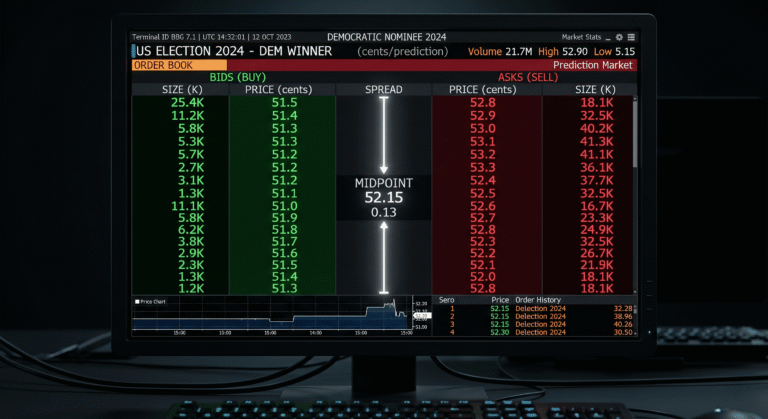
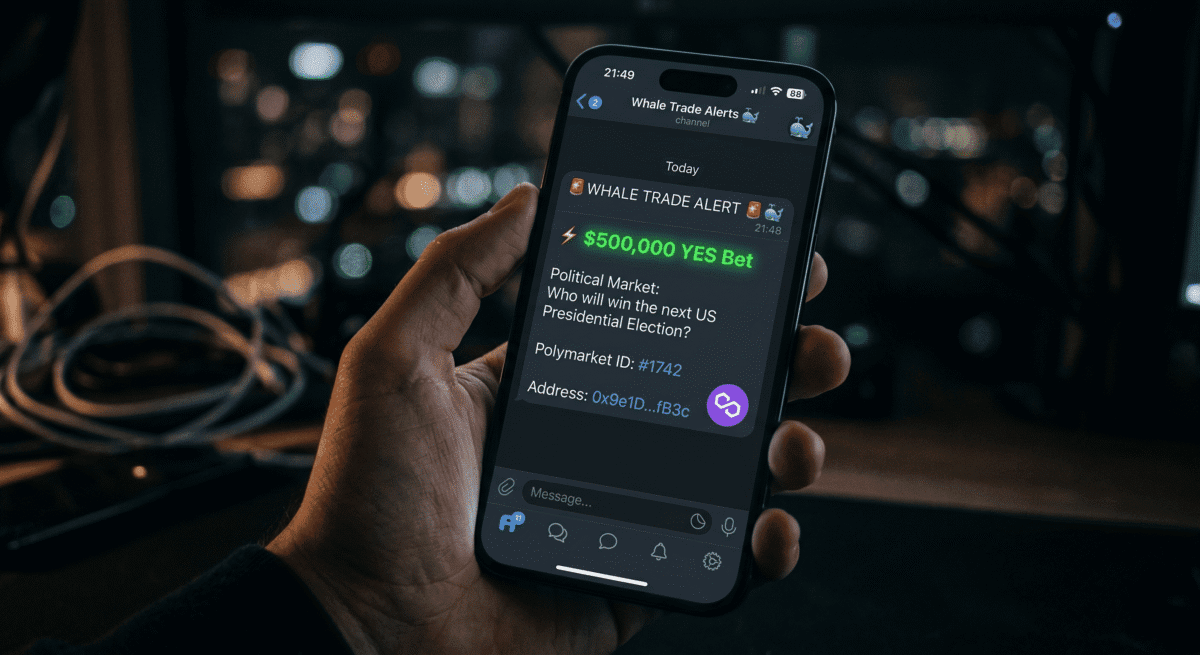
Don’t wait for the news to break. Follow the $500K YES bet that happens 10 minutes before the headline hits. Specifically, the Iran ceasefire insider wallets bought YES shares at 2.9 to 10.3 cents on a market that resolved to $1.00 within hours. Furthermore, every single one of those transactions was publicly visible on the Polygon blockchain within seconds of confirmation. The traders who had a real-time alert system running caught the signal before the market moved. The traders refreshing Polymarket’s leaderboard caught it after the odds had already shifted by 30 to 40 cents. This guide covers every tool, every configuration step, and every filter setting needed to build a live Polymarket whale alert system that routes directly into your Telegram channel and surfaces only the positions that matter.
Why Manual Monitoring No Longer Works
In 2026, whale trackers have evolved from simple trade feeds into full-fledged analytics platforms combining real-time alerts, wallet intelligence, and AI-driven signal processing. Polymarket The reason for this evolution is speed. Specifically, in 2024, a standard arbitrage opportunity on Polymarket lasted an average of 12.3 seconds. By the first quarter of 2026, that window has collapsed to 2.7 seconds, with 73% of all arbitrage profits captured by sub-100ms execution bots. Polymarket
Manual monitoring produces data that is already stale. Without automated tools, traders often miss the initial move and enter positions at unfavorable prices. Whale trackers connect to Polymarket’s underlying smart contracts and APIs to monitor every executed trade, filtering transactions by size thresholds and surfacing only high-impact activity. Polymarket
Furthermore, when a whale wallet buys $80,000 of YES shares on a Federal Reserve decision market, you can see the wallet address, the exact timestamp, the price they paid, and the size within seconds of the transaction confirming. There is no dark pool. There is no institutional veil. Polymarket The advantage is not in having exclusive access to the data. The advantage is in receiving it faster and filtering it more precisely than everyone else who is watching the same public blockchain.
The Three Tools You Need
Three tools form the foundation of a reliable Polymarket whale alert system in 2026. Each serves a distinct function and the three work together without duplication.
Cielo Finance handles deep multi-wallet tracking with configurable Telegram and Discord alerts at the transaction level. It supports Polygon natively and allows minimum USD thresholds per wallet. PolymarketScan provides a free real-time Whale Radar with built-in tier filtering, anomaly detection, and insider suspect tagging that requires zero setup. DropsBot routes Polymarket’s Central Limit Order Book directly into Telegram and allows tracking of specific wallets and markets with price threshold configuration. Together, these three tools cover passive monitoring, real-time discovery, and wallet-specific alerts without requiring any coding or paid subscriptions to get started.
Tool 1: Cielo Finance Setup for Polymarket Wallets
Why Cielo Finance Is the Right Choice for Deep Wallet Tracking
Cielo Finance supports 30 plus chains including Polygon. In the Tracking section, users can add wallet addresses and configure Telegram or Discord bot alerts. These alerts can be specified based on transaction type, chain, and minimum USD value for swaps. GitHub
The key feature for Polymarket whale tracking specifically is the minimum USD value filter applied per individual wallet. Specifically, this means you can track a high-frequency wallet like sovereign2013 with a $50,000 minimum to only catch its largest positions, while tracking a fresh insider-suspect wallet at $10,000 minimum to catch every movement. The Free plan allows tracking of up to 250 wallets. The Pro plan expands this to 2,500 wallets and adds private Telegram bots and the Wallet Discovery dashboard. Polymarket
Step-by-Step: Setting Up Cielo Finance for Polymarket Whale Tracking
Step 1: Create Your Cielo Account
Navigate to cielo.finance. Click Connect Wallet and connect with MetaMask or any EVM-compatible wallet. No email address is required. The Free plan activates immediately after wallet connection.
Step 2: Connect the Cielo Telegram Bot
Navigate to Settings inside the Cielo dashboard. Click Activate Telegram Bot. Cielo generates a unique bot activation link. Open Telegram, click the link, and press Start. The bot confirms connection and begins delivering alerts to your Telegram account.
Additionally, for a private group channel rather than a direct message setup, create a new Telegram group, add the Cielo bot as an administrator, and complete the activation inside the group chat instead of the direct message flow. All subsequent alerts for wallets configured with this bot route to the group rather than your personal chat.
Step 3: Add Polymarket Whale Wallets
Navigate to the Tracking section inside Cielo. Click Add Wallets in the top right corner. Paste the first whale wallet address. Add an optional label such as “RN1 Sports Bot” or “Insider Cluster April 2026” for immediate identification inside alerts.
If you wish to configure Telegram or Discord bot alerts for the wallet, select Alert Settings and follow the instructions. Here you can specify notifications based on transaction type, chain, and minimum USD value for swaps. You can also check the New Trade Alerts box to receive an alert when the wallet trades a token for the first time. GitHub
Step 4: Configure Alert Thresholds Per Wallet
For confirmed high-frequency sports bots (sovereign2013, RN1, bcda): set the minimum USD value to $50,000. These wallets execute dozens of positions per day and alerting on every trade produces notification fatigue without meaningful signal.
For geopolitics and political market specialists: set the minimum USD value to $20,000. These wallets trade less frequently and every position above this threshold warrants attention.
For fresh wallets or insider-suspect accounts: set the minimum USD value to $5,000. Any significant position from a new account is worth monitoring regardless of size.
For convergence alerts (multiple wallets entering the same market): Pro and Whale plans expand the limit to 2,500 to 10,000 wallets and add multi-wallet alerts where you are only notified when several large players move simultaneously. SOTAAZ This convergence alert is the most powerful signal available in the Cielo toolkit specifically for Polymarket, because when three or more top-performing wallets enter the same market independently, that is the highest-conviction setup documented in prediction market research.
Tool 2: PolymarketScan for Real-Time Discovery
What PolymarketScan Provides That Cielo Does Not
PolymarketScan operates as a free real-time discovery layer on top of the wallets you are already tracking. Specifically, it surfaces new large positions from wallets you have not yet labelled or identified, using a tiered classification system that categorises every trade by size.
PolymarketScan’s Whale Radar updates in real-time with live trade notifications. The platform categorises whales by tier: small at $5K plus, medium at $25K plus, large at $100K plus, mega at $500K plus, ultra at $1M plus, and god at $5M plus. PolymarketScan identifies potential insider activity through anomaly detection: fresh wallets making large bets, unusual timing before news events, all-in positions, and high win-rate patterns. Each trade is tagged with anomaly badges like Insider Suspect, Fresh Whale, and All-In. Polymarket
Step-by-Step: Configuring PolymarketScan for Daily Use
Navigate to polymarketscan.org/whales. No account is required for the free Whale Radar. Set the minimum trade size filter to $50,000 using the tier selector. This eliminates the small and medium whale categories and surfaces only the large, mega, ultra, and god tier trades.
Click the Politics filter tab to isolate geopolitical and political markets. Additionally, click the Insider Suspect badge filter to show only trades flagged by the anomaly detection system. This specific combination represents the highest-signal view available on the free tier.
Add PolymarketScan to your browser bookmarks with the filter parameters pre-applied. Specifically, the URL retains your filter settings in most configurations so you can open a pre-filtered view instantly without reconfiguring on each visit.
For Watchlist tracking: click any wallet address that appears in the Whale Radar to open the full trader profile. Click Follow on the profile page to add it to your Watchlist. The Watchlist triggers a notification inside the PolymarketScan interface when a followed wallet places a new trade. This is not a Telegram alert but provides a browser-based fallback when you are actively at your desk.
Tool 3: DropsBot for Telegram-Native Tracking
Why DropsBot Outperforms Manual Leaderboard Checking
DropsBot ports Polymarket’s Central Limit Order Book directly into Telegram, acting as an elite wallet tracker capable of monitoring up to 500 events and 2000 high-performing wallets concurrently. Polymarket Furthermore, DropsBot operates natively inside Telegram rather than requiring a separate dashboard, which means alerts arrive in the same interface where you are already monitoring markets and coordinating with other traders.
Step-by-Step: Setting Up DropsBot
Open Telegram and search for DropsBot. Type /start to initialize the bot. The bot presents an interactive menu with three primary functions: event tracking, wallet tracking, and leaderboard filtering.
For wallet tracking: copy any 42-character EVM wallet address and paste it directly into the DropsBot chat. The bot confirms the address and begins monitoring. The bot’s metadata retrieval will automatically map the address whenever that whale initiates a swap, opens a leveraged position, or liquidates a holding. Polymarket
For event tracking: paste any Polymarket market URL directly into the DropsBot chat. The bot identifies the market, presents outcome options, and lets you configure which alert types to receive for that specific market.
Configuring the Price Threshold Filter
The price threshold setting is the most important configuration inside DropsBot for Polymarket specifically. Set a price threshold of 5 cents (5%). In highly liquid markets, a 5% shift isolates material changes caused by real-world news while ignoring the standard 3.5-cent spread maintained by AMM bots. Polymarket
For geopolitics markets with higher baseline volatility, increase the threshold to 8 to 10 cents. Specifically, markets like election outcomes and conflict resolution events carry larger natural spread movements that would trigger false alerts at the 5-cent level. Setting the threshold higher ensures you are alerted to genuine whale-driven moves rather than routine spread fluctuations.
Routing Whale Alerts Into a Private Telegram Channel
Creating a Dedicated Whale Alert Channel
Create a new Telegram group named “Polymarket Whale Feed” or a similar label. Set the group to private. Add only yourself as a member initially. Add each bot (Cielo Telegram bot, any dedicated Polymarket alert bots) as an administrator with the ability to post messages.
The benefit of a dedicated group over direct message alerts is organisation. Specifically, all whale alerts from multiple sources land in a single timestamped feed rather than scattered across different chat windows. Furthermore, Telegram’s search function inside a group allows you to search for specific wallet addresses or market names within your entire alert history.
Building a Layered Alert Structure Inside One Channel
Configure three alert levels inside the same Telegram group to create a layered signal system.
The first level is the discovery layer from PolymarketScan’s Watchlist and any paid services you use. These alerts cover trades above $25,000 from any source and represent broad market awareness.
The second level is the wallet-specific layer from Cielo Finance. These alerts cover trades above $50,000 from the specific wallets you have already labelled and researched. Specifically, because you know the historical context for each wallet, these alerts carry higher interpretive value than the discovery layer.
The third level is the convergence layer. When three or more top wallets enter the same market independently, that is the highest-conviction signal in prediction markets. Detecting it in real time is the core value of a fully automated alert system. Polymarket Configure the Cielo multi-wallet alert (available on Pro plan) to trigger specifically when two or more wallets from your tracked list enter the same Polymarket contract within a 30-minute window.
Alert Message Format
A useful whale alert message contains five pieces of information in this exact order: the wallet label or address, the market name, the direction (YES or NO), the position size in USDC, and the entry price in cents.
Each alert from a properly configured system includes the trader’s leaderboard rank, their pseudonym, total PnL, the market they traded on, whether they bought YES or NO shares, the position size in USDC, the price they paid, and the category. Polymarket
A formatted alert following this structure looks like this:
SPORTS BOT | sovereign2013
Market: NBA Champion 2026 Thunder
Direction: YES
Size: $87,400
Entry: 44¢
Category: Sports
This format allows you to assess the signal quality in under three seconds without clicking through to any external page.
Filtering Noise: Separating Real Signals From Wash Trades
What Wash Trading Looks Like On-Chain
Wash trading in the context of Polymarket whale tracking refers to a wallet moving USDC between its own sub-wallets or between closely coordinated wallets without any genuine directional position being taken. Specifically, wash trades appear as large USDC transfers that register in raw on-chain data but do not reflect actual market entry. They produce false alerts in unsophisticated tracking systems and cause traders to enter positions based on movement that has no predictive signal.
Four patterns identify wash trades reliably. The same wallet address appears as both sender and receiver within a few minutes. The transfer goes directly between two wallets with no CTF Exchange contract interaction in between. The transfer amount is a round number (exactly $100,000, $50,000, or $500,000) with no fractional USDC from market activity. The sending wallet has no open Polymarket positions before or after the transfer.
If any alert matches two or more of these patterns, discard it without further analysis.
What an Aggressive Buy Signal Looks Like
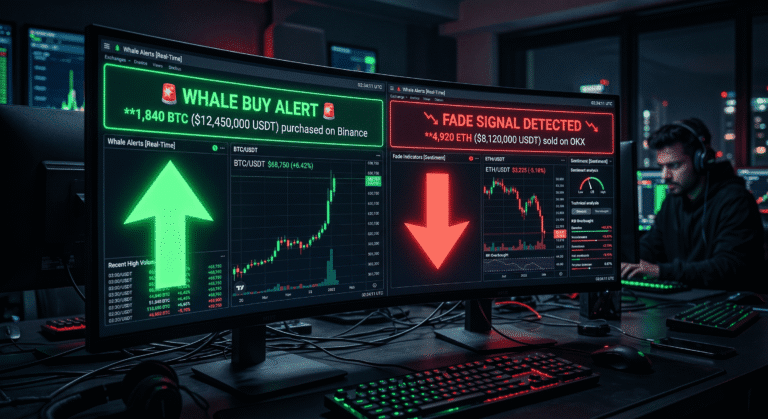
An aggressive buy is a position that moves the market price measurably at the moment it executes. A single $500,000 position on Polymarket can shift odds by 10 cents or more, creating both danger and opportunity for smaller traders. A whale entering a thin market will push prices significantly. If you see a large order building on-chain before it fully fills, you can anticipate the price move. Polymarket
Three characteristics identify an aggressive buy signal as distinct from a wash trade or routine position entry. First, the position executes against the existing order book rather than just adding liquidity, which means the entry price shifts between the start and end of the fill. Second, the wallet placing the order has a documented history of profitable resolved positions in the same market category, which you can verify through your Polygonscan private notes or Cielo wallet labels. Third, the position enters at a price that has not moved recently, meaning the whale is the initiating party rather than responding to an existing price movement.
Minimum Size Thresholds by Market Category
Setting the right minimum threshold for each market category is the single most effective noise reduction technique available without any additional tooling.
For NBA and sports markets: use $75,000 minimum. Sports markets receive high volume from automated bots executing hundreds of small positions per day. A $75,000 threshold eliminates bot noise while capturing the positions from wallets like sovereign2013 and RN1 that represent genuine directional conviction.
For geopolitics and political markets: use $30,000 minimum. These markets carry lower baseline volume than sports and a $30,000 position is already a significant directional statement from any wallet.
For crypto price prediction markets: use $20,000 minimum. Crypto micro bots like BoneReader and k9Q2mX4L8A7ZP3R execute thousands of small positions. A $20,000 threshold filters out the micro-grinding volume and surfaces only positions from conviction-based crypto traders.
For fresh wallet alerts (insider suspect): use $10,000 minimum regardless of category. Any position above $10,000 from a wallet with no prior trading history warrants monitoring regardless of market type.
Using Anomaly Tags to Prioritise Alerts
The Polymarket Alerts app flags three types of suspicious wallets: brand-new accounts placing their first large trade, low-activity accounts that have barely traded before but suddenly bet big, and dormant wallets. Polymarket These anomaly tags should be treated as the highest-priority tier within your alert system.
Specifically, when an alert arrives tagged as both Fresh Whale and a position above $20,000 in a geopolitics market, treat it as an immediate review signal regardless of what other positions you are currently monitoring. This combination produced the Iran ceasefire pattern and the earlier Iran strike market patterns documented throughout CoinTrenches whale research.
The Complete Alert System: Summary
Once the three tools are configured and routed into a single Telegram group, the system operates as follows.
Every confirmed large position from a tracked whale wallet triggers a Cielo alert into the group within one to three seconds of on-chain confirmation. Every new large position from an untracked wallet triggers a PolymarketScan Watchlist notification or browser alert for manual review. Every price movement above the configured threshold on a tracked market triggers a DropsBot alert inside the same group.
The result is a single Telegram channel that functions as a real-time intelligence feed. Specifically, when the Iran ceasefire pattern appears again in a new geopolitics market, you will see it in your alert channel within seconds of the first large position confirming. Furthermore, when three known whale wallets enter the same market within 30 minutes, the convergence alert fires before the market has had time to reprice the inflow.
The traders who caught the ceasefire signal before the announcement were not smarter than everyone else. They were faster and better organised. This system is how you close that gap.
Frequently Asked Questions
What is the best free tool for Polymarket whale alerts?
PolymarketScan at polymarketscan.org/whales is the best free starting point. It requires no account, updates in real time, and includes built-in anomaly detection with Insider Suspect, Fresh Whale, and All-In badge filtering. Additionally, the Cielo Finance free plan allows tracking of up to 250 wallets with Telegram alerts at no cost, which covers most active research portfolios without requiring a subscription.
How fast do Polymarket whale alerts arrive in Telegram?
Paid tier alerts from properly configured systems are delivered within one to three seconds of on-chain confirmation. Free tier alerts typically have a five-minute delay. Polymarket For trading purposes, the one to three second paid tier is the relevant benchmark. A five-minute delay in a fast-moving geopolitics market can mean entering at 20 to 40 cents above the whale’s original entry price.
How do I filter out wash trades from my whale alerts?
Four patterns identify wash trades reliably. The same wallet appears as both sender and receiver within minutes. The transfer bypasses the CTF Exchange contract entirely. The amount is a perfectly round number with no fractional USDC. The sending wallet has no open Polymarket positions before or after the transfer. Configure your Cielo alert settings to only trigger on transactions that interact with the Polymarket CTF Exchange contract address rather than on all USDC movements from a tracked wallet.
Can I track specific Polymarket whale wallets without paying for any tools?
Yes. PolymarketScan’s Watchlist feature is free and allows following specific wallet addresses with browser-based notifications. Cielo Finance’s free plan supports up to 250 wallets with Telegram alerts. DropsBot supports wallet tracking inside Telegram without a subscription for basic configurations. The combination of these three free tiers covers most serious Polymarket whale tracking needs without any cost.
What size trade should trigger an alert?
The correct threshold depends on market category. For NBA and sports markets, use $75,000 minimum to filter automated bot noise. For geopolitics and political markets, use $30,000. For crypto price markets, use $20,000. For any fresh wallet or insider-suspect account, use $10,000 regardless of category. Setting a single universal threshold for all markets produces either too much noise (if set low) or misses genuine signals in lower-volume categories (if set high).
Is it legal to monitor Polymarket whale wallets in real time?
Wallet tracking is completely legal. Polymarket operates on the Polygon blockchain where all transactions are publicly visible. Tracking this data is equivalent to following public stock filings or monitoring cryptocurrency addresses. You are viewing publicly available information. Polymarket All tools in this guide use publicly available on-chain data and do not require access to any private information or proprietary data feeds.
Keep Reading on CoinTrenches
How to Find Polymarket Whales on Polygonscan: Full Guide 2026 — the companion guide for identifying and labelling whale wallets before adding them to your alert system
Polymarket Insider Traders: $663K on Iran Ceasefire in One Bet — the documented case study that shows exactly what the alert system in this guide would have caught within seconds of the first position
Theo4 Polymarket: $22M Profit, 14 Bets, $19 in Losses — the highest all-time profit wallet and the most important address to add to your Cielo tracking list first
sovereign2013 Polymarket: $3.4M All-Time, Sports Bot Full Profile — the confirmed high-frequency sports bot whose positions above $75,000 represent the clearest sports signal in the current tracked set
Best Solana Security Guide 2026: Protect Your Wallet from Drainers — the security companion for traders who want to protect their own wallet while running active monitoring on others
BullX Neo Guide 2026: Safety Score, Smart Sniper Detection, and Full Setup — for traders who want to move from tracking whale positions to executing their own trades with the same speed the top wallets use